Boost Your Efficiency: The Ultimate US Guide to Workspace Organization in 2026
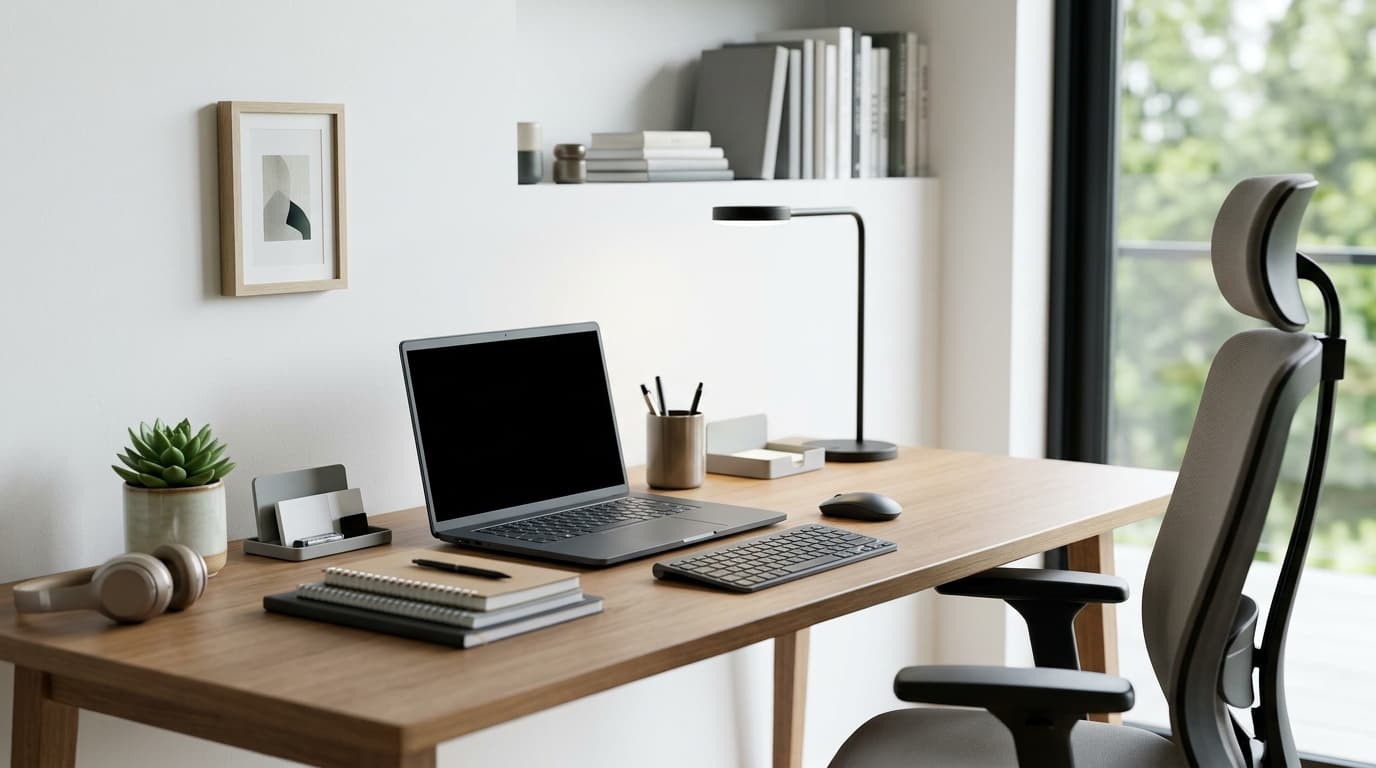
Transform Your Productivity: The Ultimate Guide to Workspace Organization
In the bustling American work landscape of 2026, where every minute counts, a cluttered workspace isn't just an eyesore—it's a silent assassin of productivity. Whether you're working from a home office in the suburbs of Texas, a shared co-working space in New York City, or a corporate cubicle in Silicon Valley, the state of your immediate surroundings profoundly impacts your focus, creativity, and overall efficiency. Imagine starting your day knowing exactly where everything is, with a clear desk and an even clearer mind. This isn't just a dream; it's an achievable reality. By investing a little time and effort into organizing your workspace, you can unlock significant gains in your daily output and reduce stress levels. This comprehensive guide will walk you through actionable strategies to declutter, optimize, and maintain an organized workspace tailored for peak performance in the US.
Phase 1: The Grand Purge – Decluttering Your Physical and Digital Domains
Before you can organize, you must first declutter. This initial phase is about ruthlessly eliminating anything that doesn't serve a purpose or bring value to your work. Think of it as a spring cleaning for your professional life, even if it's the middle of summer 2026.
Physical Decluttering: A Clean Slate
Empty Everything: Start by removing every single item from your desk, drawers, and shelves. This "empty canvas" approach helps you see the true extent of what you own and prevents simply shuffling items around.
Sort and Categorize: As you pick up each item, ask yourself: "Do I need this? Have I used it in the last six months? Does it belong here?" Create three piles: Keep, Donate/Recycle, and Trash. Be honest with yourself. Those dried-up markers from 2024 or the stack of old business cards from a conference in early 2025? It's 2026; they likely belong in the "Donate/Recycle" or "Trash" pile.
Shred Sensitive Documents: Don't just toss old bills or sensitive papers. Invest in a good shredder (easily found at Staples or Office Depot across the US) to protect your personal information.
Consolidate Supplies: Gather all similar items together. You might be surprised by how many pens or notebooks you actually have scattered around. Keep only what you realistically need for the next few months.
Digital Decluttering: Taming the Virtual Chaos
Desktop Cleanup: Your computer desktop is your digital desk. Aim for minimal icons. Create dedicated folders for "In Progress," "Reference," and "Archived."
File Management: Develop a consistent, logical folder structure for your documents. Use clear, descriptive names. For instance, instead of "Report," use "Q2 2026 Sales Report - Northeast Region." Regularly move old files to an archive or cloud storage solution like Google Drive or Dropbox.
Email Inbox Zero: This isn't just a trend; it's a productivity philosophy. Process emails immediately: delete, reply, delegate, or file. Unsubscribe from newsletters you no longer read.
Phase 2: Strategic Layout – Designing Your Efficiency Hub
Once decluttered, it's time to arrange your workspace for optimal flow and ergonomic comfort. A well-designed layout minimizes unnecessary movement and reduces strain.
Ergonomics First: Your Body Will Thank You
Chair and Desk: Invest in an ergonomic chair that supports your back and allows your feet to be flat on the floor or a footrest. Your desk height should allow your arms to be at a 90-degree angle when typing. Adjustable standing desks, popular in many US offices, can also be a game-changer for posture and energy levels.
Monitor Placement: Position your monitor at arm's length, with the top of the screen at or slightly below eye level. If you use multiple monitors, arrange them seamlessly to avoid excessive head turning.
Keyboard and Mouse: Keep these close to your body to prevent reaching. Consider an ergonomic keyboard and mouse to reduce wrist strain.
Zoning for Workflow: Everything in its Place
Primary Zone: This is your most frequently used area—keyboard, mouse, monitor, and perhaps a notepad or phone. Keep it clear and accessible.
Secondary Zone: Items you use often but not constantly, like a stapler, pen holder, or frequently referenced files. These should be within easy reach without having to stand up.
Reference Zone: Less frequently accessed items such as binders, books, or archived documents. These can be on shelves or in drawers slightly further away.
Phase 3: Smart Storage Solutions – A Place for Everything
Effective storage is the backbone of a truly organized workspace. It ensures that every item has a designated home, making retrieval and tidying effortless.
Desk Organizers: Utilize pen holders, document trays, and small drawer organizers to keep supplies neatly contained. Look for modular systems at retailers like Amazon.com or your local OfficeMax that can adapt to your specific needs.
Vertical Space: Don't underestimate the power of vertical storage. Wall-mounted shelves, multi-tiered document trays, or small bookcases can free up valuable desk real estate.
Drawer Dividers: Prevent clutter in drawers with dividers for paper clips, sticky notes, and other small items. Label the outside of drawers for quick identification.
Cable Management: Tangled cables are a significant source of visual clutter and can be a safety hazard. Use cable ties, sleeves, cable clips, or a desk grommet to keep wires neat and out of sight. Many office supply stores offer affordable and effective solutions for this.
Filing Systems: Implement a clear filing system for paper documents. Whether you prefer alphabetical, chronological, or project-based, consistency is key. Color-coded folders can also aid quick identification.
Phase 4: Cultivating Habits – Maintaining the Organized Haven
Organization isn't a one-time event; it's an ongoing practice. Establishing simple daily and weekly habits will ensure your workspace remains a beacon of efficiency.
The 15-Minute Tidy-Up: At the end of each workday, dedicate 10-15 minutes to putting things back in their place, tidying your desk, and preparing for the next day. This small investment pays huge dividends.
One-Touch Rule: Try to handle each item (physical or digital) only once. If you pick up a document, either act on it, file it, or discard it immediately. Avoid setting it down "for later."
Regular Reviews: Schedule a monthly or quarterly review (e.g., at the start of Q3 2026) to reassess your system. What's working? What's not? Are there new items that need a home? This keeps your system dynamic and effective.
Conclusion: Your Path to Peak Productivity in 2026 and Beyond
An organized workspace is more than just aesthetically pleasing; it's a powerful tool for enhanced productivity, reduced stress, and greater job satisfaction. By following these steps—decluttering thoroughly, designing an ergonomic and logical layout, implementing smart storage solutions, and cultivating consistent habits—you can transform your work environment into a streamlined engine of efficiency. Start small, tackle one area at a time, and celebrate each step towards a more organized, productive you. Your future self, and your bottom line, will thank you for it in 2026 and for years to come.
Related Articles
Explore more articles you might like