Boost Productivity: Setting Up a High-Performing Home Office on a Budget in 2026
Setting Up a High-Performing Home Office on a Budget in 2026
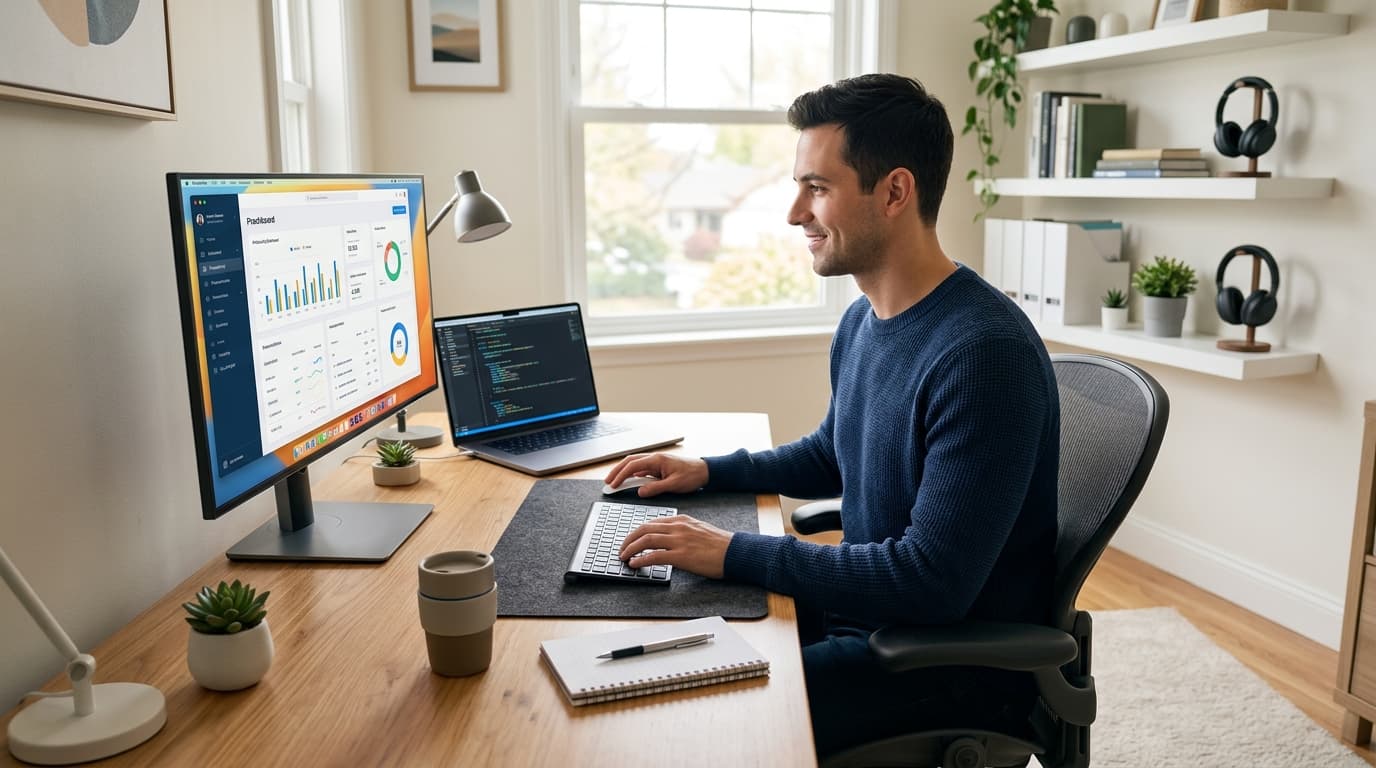
In 2026, the landscape of work has continued to evolve, with more Americans embracing the flexibility and efficiency of working from home. While the idea of a dedicated home office sounds appealing, the reality of setting one up, especially on a tight budget, can feel daunting. You might envision expensive ergonomic chairs and state-of-the-art tech, but achieving a productive and comfortable workspace doesn't have to break the bank. With smart choices, a little creativity, and a focus on essential office supplies, you can create an environment that fosters focus and efficiency right in your own home, without compromising your financial goals. This comprehensive guide will walk you through setting up an effective home office, proving that productivity and affordability can go hand-in-hand.
Strategic Space Selection: Finding Your Nook
The first step in building your budget-friendly home office is identifying the right space. You don't necessarily need an entire spare room. A quiet corner in a living room, a seldom-used dining area, or even a spacious closet can be transformed. The key is to choose a spot where you can minimize distractions and clearly define your work zone. Consider areas with good natural light and proximity to power outlets. If space is extremely limited, think vertically: wall-mounted shelves or a compact desk that folds away can be lifesavers. Remember, even a small, dedicated space is often more effective than working from your couch or bed, signaling to your brain that it's time to focus.
Ergonomics on a Dime: Comfort Without the Cost
Ergonomics is crucial for long-term health and productivity, but ergonomic furniture often comes with a hefty price tag. Thankfully, there are many budget-conscious ways to achieve a comfortable setup:
Desk Alternatives: Instead of a costly standing desk, consider a sturdy dining table, a repurposed dresser, or even a large shelf mounted to the wall. For standing options, an affordable riser can convert any regular desk. Look for sales at big box stores like Walmart or Target, or check local online marketplaces like Craigslist and Facebook Marketplace for used office furniture gems. You might find a perfectly functional desk for under $50.
Chair Hacks: A good office chair is an investment, but if it's not in the budget right now, enhance what you have. Add a lumbar support pillow (often under $20 at office supply stores), a seat cushion, or even a rolled-up towel to support your lower back. Ensure your feet are flat on the floor; if not, use a stack of books or a sturdy box as a footrest.
Monitor Positioning: Your monitor should be at arm's length, with the top of the screen at or slightly below eye level. If your laptop screen is too low, use a stack of books, reams of paper, or an inexpensive laptop stand to elevate it. Combining this with an external keyboard and mouse (which can be found for less than $30 for a basic set) will significantly improve your posture.
Tech Essentials Without Breaking the Bank
While cutting-edge tech is tempting, your budget-friendly office needs reliable, not necessarily top-tier, equipment:
Computer: If your current laptop or desktop is still functional, maximize its lifespan. Consider a solid-state drive (SSD) upgrade for faster performance, which can cost around $50-$100 and dramatically improve an older machine. For new purchases, look for refurbished models from reputable retailers, often offering significant savings.
Internet Connectivity: A stable internet connection is non-negotiable. Review your current internet plan; sometimes, a slight upgrade in speed is more cost-effective than constant buffering. If Wi-Fi is spotty in your chosen office area, a simple Wi-Fi extender (available for $30-$60) can make a huge difference.
Peripherals: Beyond a basic keyboard and mouse, consider a headset with a microphone for clear virtual meetings. Many entry-level options offer excellent audio quality for less than $40. A multi-function printer/scanner can be found for under $100 during sales events, and for occasional use, local libraries or office supply stores often offer printing services at a nominal fee.
Organization and Storage Solutions: Keeping Clutter at Bay
A tidy workspace promotes a clear mind. Budget-friendly organization doesn't mean sacrificing functionality:
DIY Storage: Repurpose household items. Old shoeboxes can be covered with decorative paper for attractive drawer organizers. Glass jars are perfect for pens, pencils, and paperclips. Cereal boxes can be cut and decorated into magazine files for documents.
Affordable Shelving: Look for basic floating shelves at stores like IKEA or dollar stores. Wall-mounted shelves free up desk space and can hold books, office supplies, and decorative items. Over-the-door organizers are excellent for small spaces, providing hidden storage for notebooks, files, and cables.
Smart Office Supplies: Invest in essential office supplies like a good set of pens, notebooks, and folders. Buying in bulk from stores like Costco or through Amazon Basics can save money in the long run. A simple desk organizer, often available for under $15, can keep your immediate workspace clutter-free.
Lighting and Ambiance: Setting the Mood for Success
Good lighting reduces eye strain and can boost your mood. Natural light is best, so position your desk near a window if possible. For artificial lighting:
Desk Lamp: An affordable LED desk lamp (many options under $25) provides direct task lighting. Look for models with adjustable brightness to suit different times of the day.
Ambient Lighting: If your space feels dim, a floor lamp with an upward-facing bulb can bounce light off the ceiling, creating softer, more even illumination without harsh shadows. Thrifting for lamps is a great way to find unique, inexpensive pieces.
Minimizing Distractions: Creating a Focus Zone
Even a budget office can be a distraction-free haven:
Noise Cancellation: If your environment is noisy, a good pair of noise-canceling headphones (entry-level models start around $50) can be a game-changer. Alternatively, use white noise apps or ambient soundscapes available for free online.
Visual Barriers: If your workspace is in a shared room, consider a tension rod with a curtain or a folding screen to create a visual boundary during work hours.
Clear Boundaries: Establish clear start and end times for your workday. Communicate these boundaries to family members to minimize interruptions.
Adding Personal Touches (Budget-Friendly)
Make your office a place you enjoy being in without overspending. A small plant (succulents are low-maintenance and inexpensive), a framed photo, or a piece of art can personalize your space and boost morale. Shop at dollar stores, craft stores, or even use items you already own to add character. Remember, your home office is an extension of you; infuse it with personality.
Conclusion: Your Productive Oasis Awaits
Setting up a productive home office on a budget in 2026 is entirely achievable. By focusing on smart space utilization, prioritizing ergonomic comfort with clever hacks, making wise tech investments, and embracing creative organization, you can craft a workspace that supports your professional goals without draining your wallet. Remember, the goal isn't a showroom-ready office, but a functional, comfortable, and inspiring space where you can thrive. With these tips and a little ingenuity, your ideal home office is within reach, proving that a high-performing workspace doesn't require a high-end budget. Start small, build gradually, and enjoy the benefits of a dedicated space designed for your success.
Related Articles
Explore more articles you might like